
0 cloud uploads
Data handling
All comparison stays on the local machine.
A 100% local PDF comparison tool for architectural drawing sets. No cloud upload, no subscription, no GPU required.
Windows 64-bit · Portable App · CPU Optimized
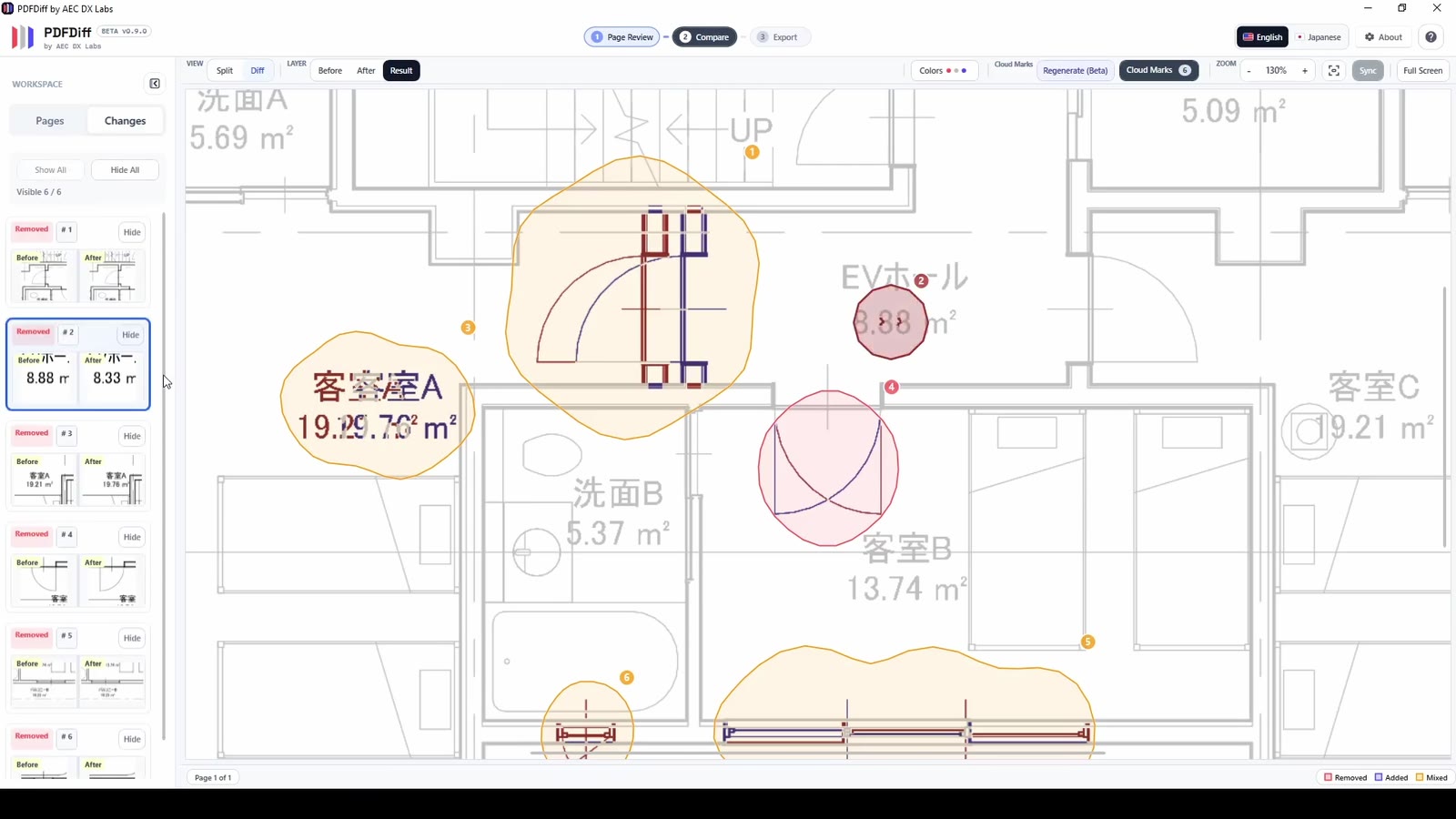
Split mode supports side-by-side checks, and Diff mode highlights added content in red and removed content in blue.
Workflow
The flow keeps review moving: import, compare, and decide - without switching between tools.
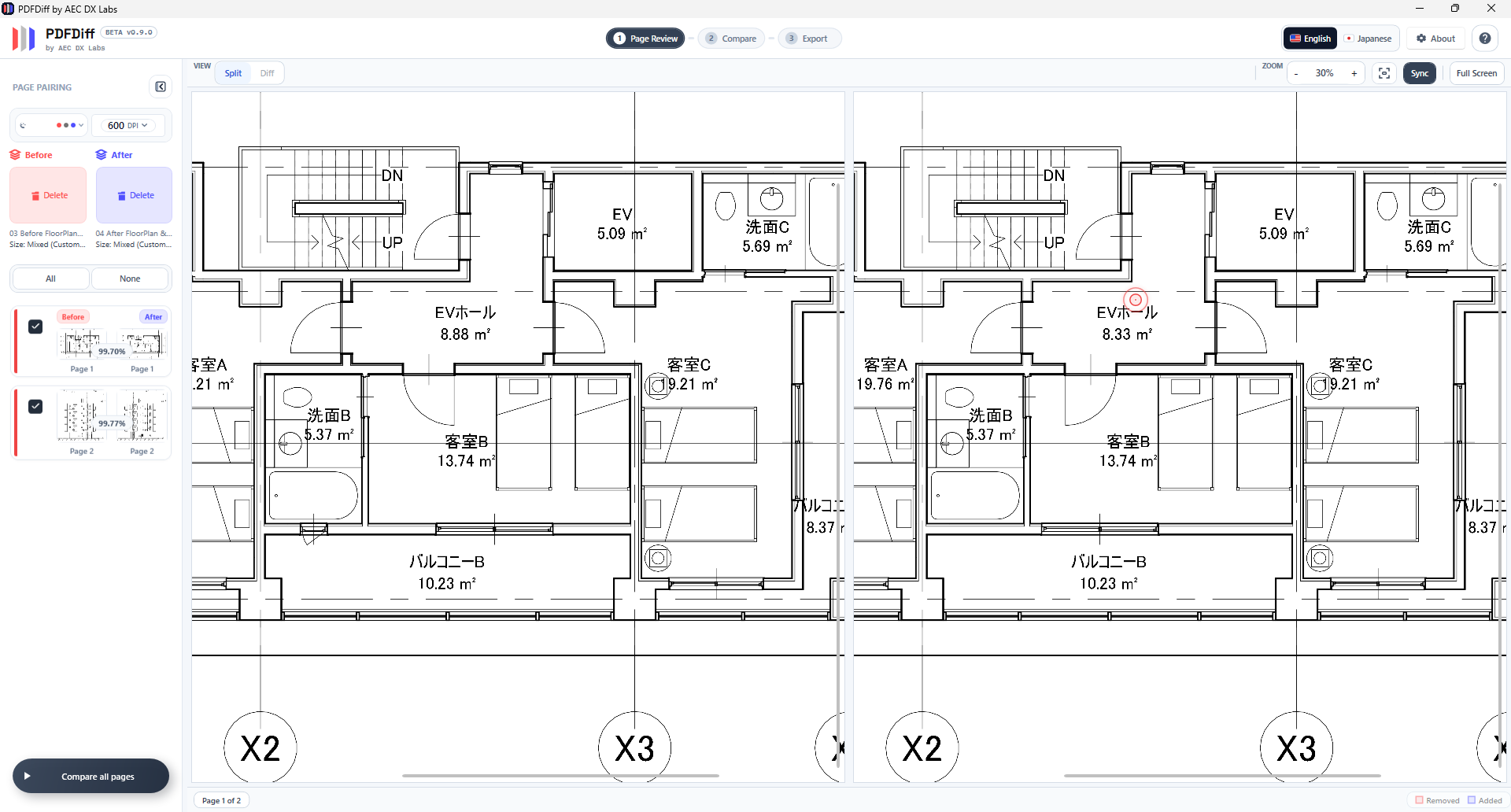
Drop in your Before and After PDF sets and arrange the pages to match. The built-in similarity score automatically calculates the match percentage for every pair, helping you instantly catch sheet mismatches or scale issues before the actual review even begins.
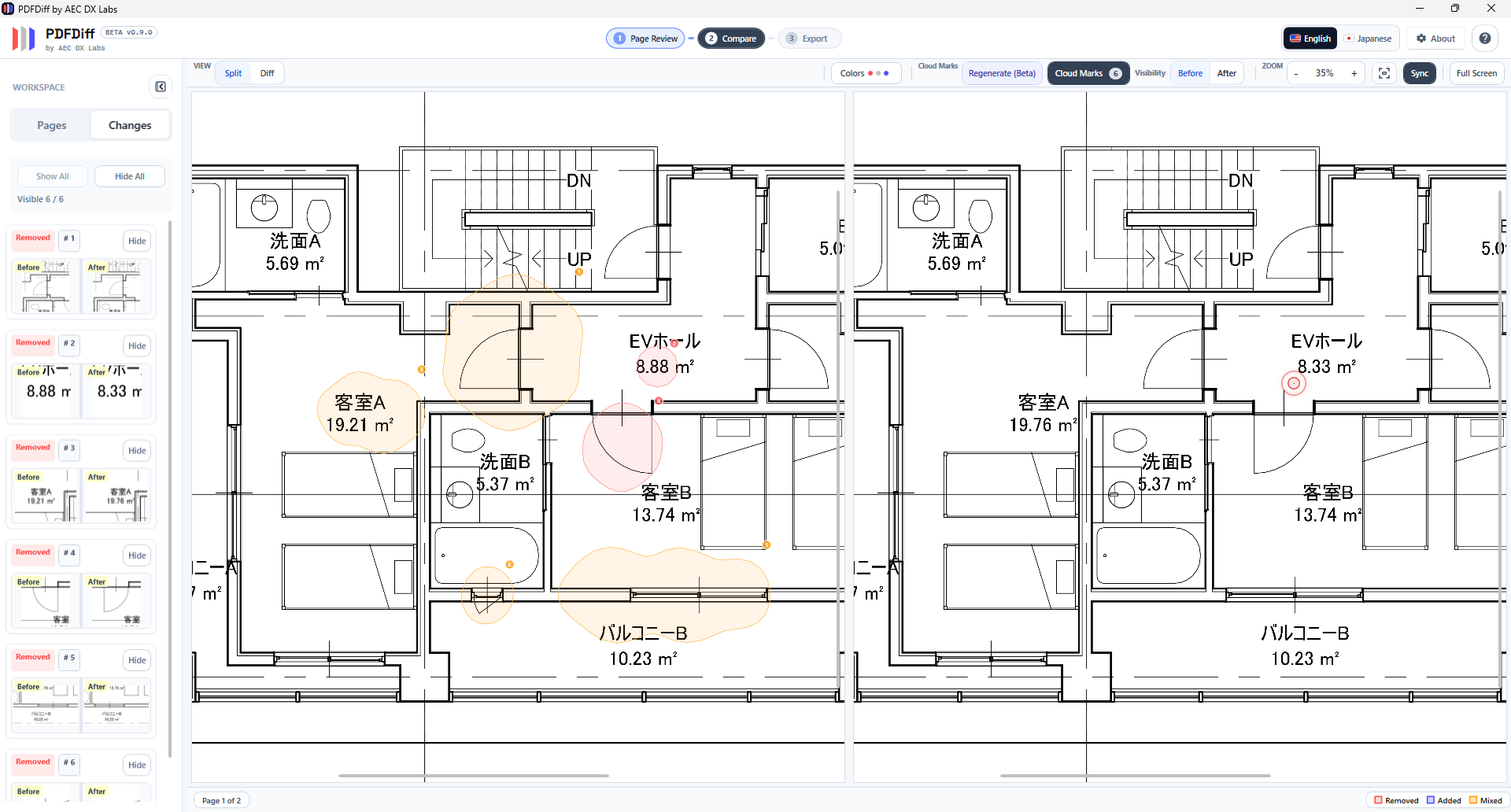
Spot differences instantly using the Split or Diff viewing modes with fully synchronized zoom and pan. PDF Diff automatically detects changed regions and generates Cloud Marks around them (either automatically during comparison or on-demand), completely eliminating manual markup time.
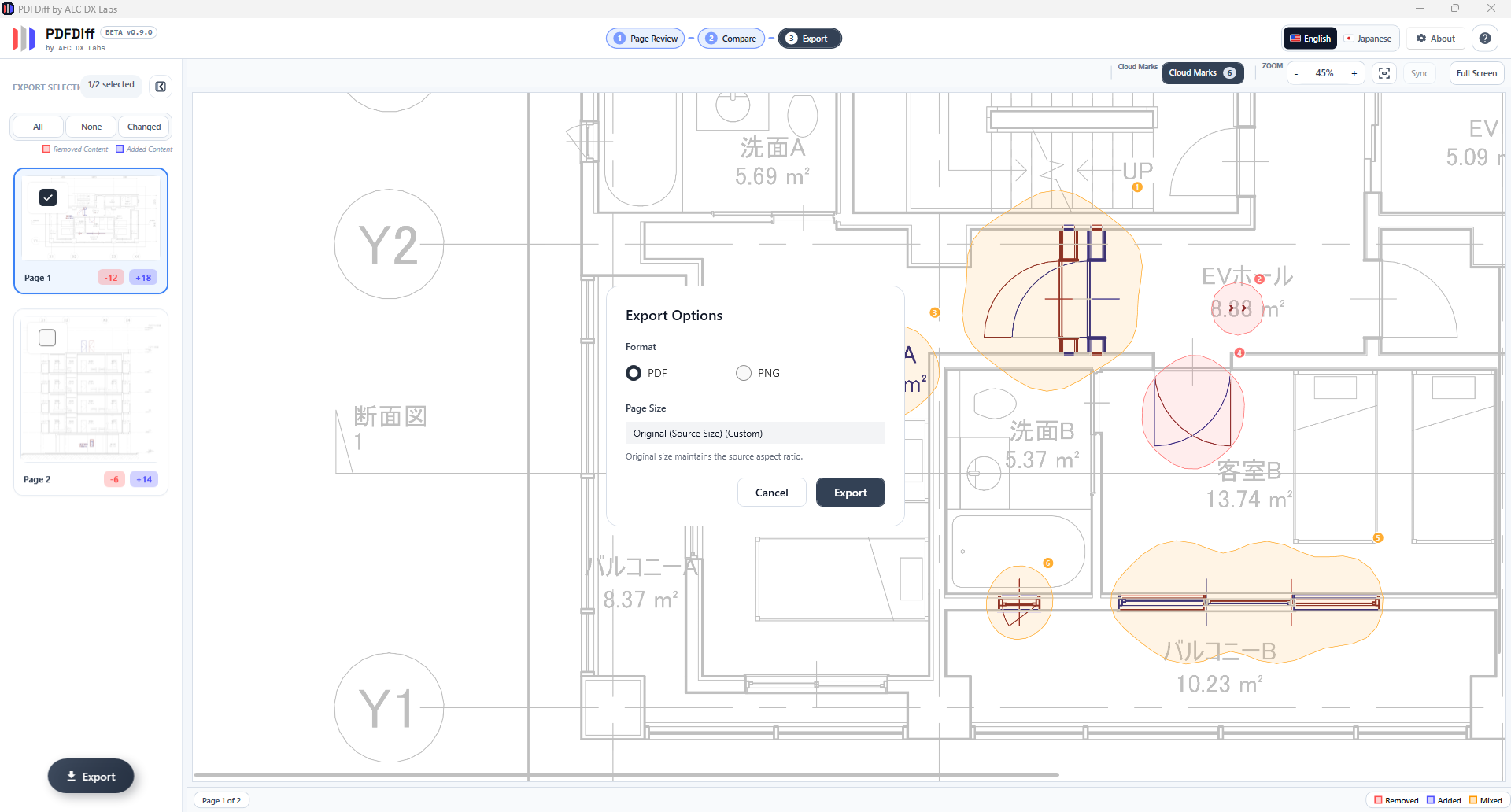
Select the changed pages and export your results to PDF or PNG. The PDF export flattens the background drawings to protect the source files, while preserving your Cloud Marks as native, editable annotations—ready to drop directly into your team's standard Acrobat workflow.
Quick Answers
0 cloud uploads
Data handling
All comparison stays on the local machine.
$0 cost
Price
Free for personal and commercial use.
<7s per page
Comparison speed
Typical comparison completes in under 7 seconds per page.
Yes. It is free for personal and commercial use, with no licensing fee.
Yes. Comparison runs locally on your PC, and drawing files are not uploaded to external servers.
Windows 64-bit, at least 4GB RAM, and no GPU required. Typical comparison completes in under 7 seconds per page.
I built it after repeatedly seeing manual revision checking slow down AEC review work and introduce avoidable misses.
Maker Context
I am an architectural designer based in Tokyo. Across AEC workflows, I kept seeing teams spend too much time manually checking revised drawing sets, losing focus in the process and increasing the chance of missed changes.
I started building PDF Diff as part of my self-improvement effort. Using AI-assisted tools, I mapped the tool requirements and built a secure offline application to test whether the workflow could be simplified without changing how teams already work.
I validated the concept using sample drawing sets in a personal test environment. The tool performed as designed, completing comparisons locally in under 7 seconds per page with no external data transfer. I am publishing it as a free resource for the AEC community as part of my ongoing self-improvement research (自己研鑽).
FAQ
Core trust signals stay visible alongside the questions people ask first.
Trust Signals
Short operational assurances for IT and security review.
Offline by default
No cloud dependency in the review path. Drawings stay on your workstation.
IT-audit aligned
No external transmission route helps teams explain data handling in security reviews.
Practical hardware fit
CPU-optimized, runs on standard workstations without additional hardware.
Common Questions
Yes. The tool is 100% free for personal and commercial projects, with no licensing fees.
Yes. Processing is fully offline on your PC, and drawings are not transmitted to external servers.
Windows 64-bit with at least 4GB RAM. Typical comparison completes in under 7 seconds per page.
Load Before and After PDFs, then use Split mode for side-by-side checks and Diff mode for change-focused review. Added content is red and removed content is blue.
It currently compares PDFs exported from BIM tools. Batch processing is on the roadmap.
With the v1.0.0.0 release, the tool graduated from beta and moved to the Microsoft Store. The rebrand to REVIFF reflects its maturity as a standalone product. The core workflow and all features from the beta remain intact.
Comparison results should be verified by a qualified professional. AEC DX Labs accepts no liability for missed changes or errors in comparison output.